



Introduction #
Authors present a procedure to automatically generate an high-quality training dataset of cablelike objects for semantic segmentation. The proposed method is explained in detail using the recognition of electric wires as a use case. These particular objects are commonly used in an extremely wide set of industrial applications, since they are of information and communication infrastructures, they are used in construction, industrial manufacturing and power distribution. The proposed approach uses an image of the target object placed in front of a monochromatic background. By employing the chroma-key technique, authors can easily obtain the training masks of the target object and replace the background to produce a domain-independent dataset. How to reduce the reality gap is also investigated in this work by correctly choosing the backgrounds, augmenting the foreground images exploiting masks. The produced dataset is experimentally validated by training two algorithms and testing them on a real image set. Moreover, they are compared to a baseline algorithm specifically designed to recognise deformable linear objects.
Auto-labeling with Chroma Key
The Chroma Key (CK) is a technique widely used in film and motion picture industries to combine two images together (usually foreground and background). It requires a foreground image containing a target object that authors want to overlap to a background image. The target must be placed in front of a monochromatic panel, called screen (usually green or blue). The technique consists of a chroma-separation phase, where authors isolate the target object (foreground) from the monochromatic panel (original background) and then an image-overlay phase, where they compose the foreground and a
new background. In the chroma-separation phase, authors choose
a specific hue range which contains solely the color of the screen (e.g. green) and exclude any other color belonging to the foreground. Then, by finding the pixels within that range, authors obtain a mask for the target Imt and a complementary mask for the monochromatic background Ims. Thus, creating a dataset with this technique is really straightforward and it can be done in 2 steps:
- Record an high quality video of the target object on a green screen, from which authors gather the input images;
- Find the chroma range of the pixels belonging to the monochromatic background and create the corespondent mask with chroma separation.
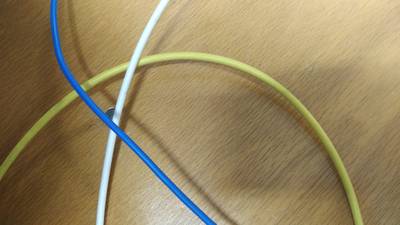
In this dataset, while gathering the images, authors hold the electric wire by its extremities and move it within the frame composing different shapes. To generalize more authors also change the light setups, the wire color and the number of wire in the scene. From a random video frame authors easily find the hue levels for the specific screen color authors are using (green or blue). These levels, once found for one image, remain valid for any other image taken with the same light temperature setting and white balance. Hence, known the chroma range of the screen authors immediately obtain the mask for the wire from each frame in the video.
Domain Randomization
The labeling procedure with chroma separation automatically generates labeled data ready to be used for training, but with a low variability. In fact, in the gathering phase authors need to randomize the scene featuring target object in the following aspects: number of instances, color, size, position and shape. Nevertheless, the background is always uniform and monochromatic. The performance of a segmentation algorithm trained with images in homogeneous backgrounds would be significantly degraded when working in a complex and chaotic environment. Clutter background in fact easily confuses the algorithm, due to possible similarities between the target and the background, especially if it has never seen them in training. This weakness can be readily overcome by replacing the background in the input images (image-overlay phase). In fact, by using the masks, authors can combine the foreground with a random background that replaces the green screen. This process, known as domain randomization, aims to provide enough synthetic variability in training data such that at test time the model is able to generalize to real-world data. Hence, the choice of the background images is a key point for generalizing well to multiple real-world target domains without the need of accessing any target scenario data in training.
The backgrounds that authors propose for a domain-independent dataset can be divided in 3 categories: lowly textured images with shadows and lights; highly textured images
with color gradients and regular or geometric shapes; highly textured images with chaotic and irregular shapes. These backgrounds introduce high variance in the environment properties that should be ignored in the learning task. For instance, in authors task the segmentation algorithm will ignore shadows and cubic or spherical objects, while it should focus more in cylindrical shapes, hence authors chose the set of backgrounds in Figure 2 according to these considerations.
This strategy has been employed to generate a dataset of 28584 RGB images 720 × 1280 for semantic segmentation of electric wires. The raw dataset has 3176 images and it includes blue, red, yellow, white and black wires, with different light setups and shapes. To improve the screen and wire separation, besides the hue, authors also use the saturation and value channels. For each raw image, a background image (4000 × 2248) is randomly picked among the 15 shown in Figure 2 and 8 new synthetic images are created, as visible in Figure 1. In each new image, foreground and background are separately augmented (by using the mask) before the merging. In particular, the background is randomly flipped, shifted, scaled and rotated (all with probability p = 0.5). Then, it is processed with motion blur and elastic transformation (p = 0.2), and in the end it is randomly cropped at 1280×720 (p = 1). The foreground, instead, is transformed only by shuffling the channels (p = 0.5), converting to grey (p = 0.1) and randomizing the hue in the range of [−100, 100] (p = 0.5).

Fig. 1: Schematic process to generate the 8 synthetic images by background-foreground separated augmentation and imageoverlay

Fig. 2: Images used to replace the background in the output dataset.
 Expand
 Homepage
 Research Paper
Summary #
Auto-generated Wires for Semantic Segmentation with Domain-Independence (Synthetic Dataset) is a dataset for a semantic segmentation task. Possible applications of the dataset could be in the construction industry.
The dataset consists of 28646 images with 28646 labeled objects belonging to 1 single class (electric_wire). There are 2 splits in the dataset: train (28584 images) and test (62 images). The dataset was released in 2021 by the University of Bologna and EYECAN.ai.

Explore #
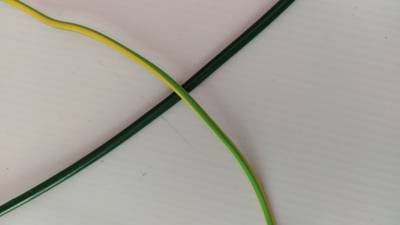
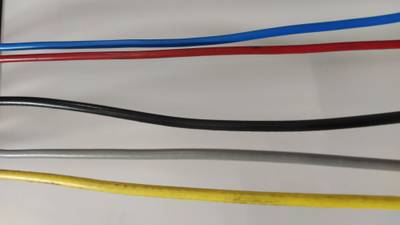
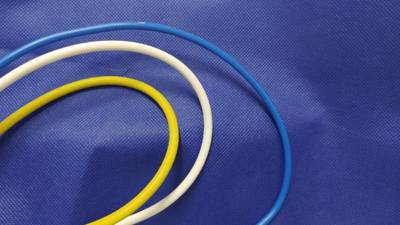
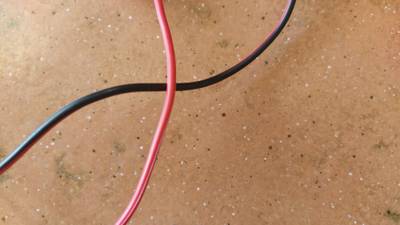
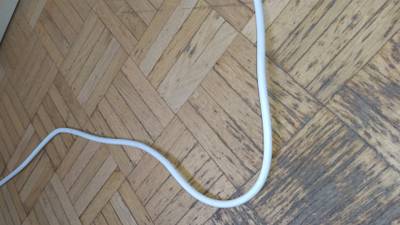
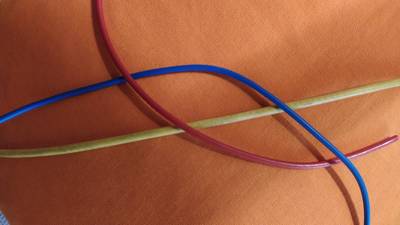
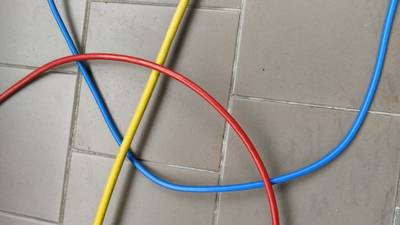
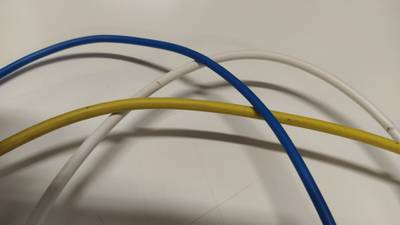
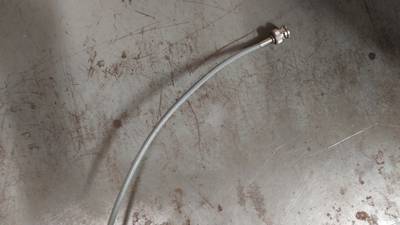
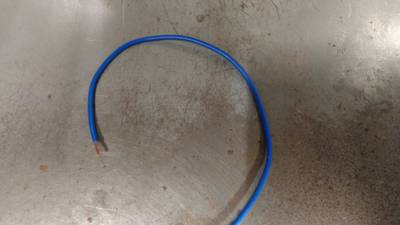
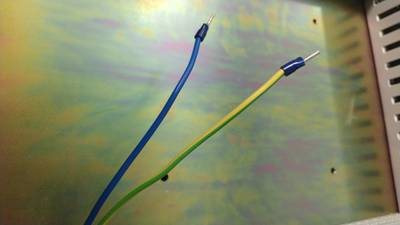
Electric Wires dataset has 28646 images. Click on one of the examples below or open "Explore" tool anytime you need to view dataset images with annotations. This tool has extended visualization capabilities like zoom, translation, objects table, custom filters and more. Hover the mouse over the images to hide or show annotations.












Class balance #
There are 1 annotation classes in the dataset. Find the general statistics and balances for every class in the table below. Click any row to preview images that have labels of the selected class. Sort by column to find the most rare or prevalent classes.

Class ㅤ | Images ㅤ | Objects ㅤ | Count on image average | Area on image average |
|---|---|---|---|---|
electric_wire➔ mask | 28646 | 28646 | 1 | 5.5% |
Images #
Explore every single image in the dataset with respect to the number of annotations of each class it has. Click a row to preview selected image. Sort by any column to find anomalies and edge cases. Use horizontal scroll if the table has many columns for a large number of classes in the dataset.
Object distribution #
Interactive heatmap chart for every class with object distribution shows how many images are in the dataset with a certain number of objects of a specific class. Users can click cell and see the list of all corresponding images.
Class sizes #
The table below gives various size properties of objects for every class. Click a row to see the image with annotations of the selected class. Sort columns to find classes with the smallest or largest objects or understand the size differences between classes.
Class | Object count | Avg area | Max area | Min area | Min height | Min height | Max height | Max height | Avg height | Avg height | Min width | Min width | Max width | Max width |
|---|---|---|---|---|---|---|---|---|---|---|---|---|---|---|
electric_wire mask | 28646 | 5.5% | 20.25% | 0.81% | 40px | 5.56% | 2248px | 100% | 674px | 85.06% | 46px | 3.59% | 4000px | 100% |
Spatial Heatmap #
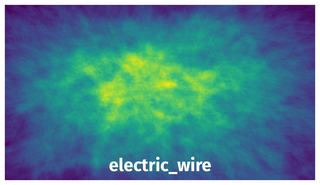
The heatmaps below give the spatial distributions of all objects for every class. These visualizations provide insights into the most probable and rare object locations on the image. It helps analyze objects' placements in a dataset.
Objects #
Table contains all 28646 objects. Click a row to preview an image with annotations, and use search or pagination to navigate. Sort columns to find outliers in the dataset.
Object ID ㅤ | Class ㅤ | Image name click row to open | Image size height x width | Height ㅤ | Height ㅤ | Width ㅤ | Width ㅤ | Area ㅤ |
|---|---|---|---|---|---|---|---|---|
1➔ | electric_wire mask | c2_13.jpg | 2248 x 4000 | 1968px | 87.54% | 3407px | 85.17% | 5.36% |
2➔ | electric_wire mask | c3_2.jpg | 2049 x 3644 | 1432px | 69.89% | 434px | 11.91% | 1.73% |
3➔ | electric_wire mask | c2_16.jpg | 2248 x 4000 | 1317px | 58.59% | 3190px | 79.75% | 2.91% |
4➔ | electric_wire mask | c1_0.jpg | 2248 x 4000 | 2248px | 100% | 2950px | 73.75% | 6.55% |
5➔ | electric_wire mask | c3_6.jpg | 945 x 1680 | 945px | 100% | 1680px | 100% | 8.8% |
6➔ | electric_wire mask | c4_6.jpg | 1727 x 3070 | 1405px | 81.35% | 3070px | 100% | 4.6% |
7➔ | electric_wire mask | c3_7.jpg | 2248 x 4000 | 447px | 19.88% | 4000px | 100% | 6.61% |
8➔ | electric_wire mask | c4_9.jpg | 2248 x 4000 | 1454px | 64.68% | 1566px | 39.15% | 1.54% |
9➔ | electric_wire mask | c3_11.jpg | 2248 x 4000 | 1591px | 70.77% | 1167px | 29.18% | 3.52% |
10➔ | electric_wire mask | c3_14.jpg | 2102 x 3735 | 1653px | 78.64% | 1606px | 43% | 6.55% |
License #
License is unknown for the Auto-generated Wires for Semantic Segmentation with Domain-Independence (Synthetic Dataset) dataset.
Citation #
If you make use of the Electric Wires data, please cite the following reference:
@inproceedings{zanella2021auto,
  title={Auto-generated Wires Dataset for Semantic Segmentation with Domain-Independence},
  author={Zanella, Riccardo and Caporali, Alessio and Tadaka, Kalyan and De Gregorio, Daniele and Palli, Gianluca},
  booktitle={2021 International Conference on Computer, Control and Robotics (ICCCR)},
  pages={292--298},
  year={2021},
  organization={IEEE}
}
If you are happy with Dataset Ninja and use provided visualizations and tools in your work, please cite us:
@misc{ visualization-tools-for-electric-wires-dataset,
  title = { Visualization Tools for Electric Wires Dataset },
  type = { Computer Vision Tools },
  author = { Dataset Ninja },
  howpublished = { \url{ https://datasetninja.com/electric-wires } },
  url = { https://datasetninja.com/electric-wires },
  journal = { Dataset Ninja },
  publisher = { Dataset Ninja },
  year = { 2026 },
  month = { jun },
  note = { visited on 2026-06-24 },
}
Download #
Please visit dataset homepage to download the data.
Disclaimer #
Our gal from the legal dep told us we need to post this:
Dataset Ninja provides visualizations and statistics for some datasets that can be found online and can be downloaded by general audience. Dataset Ninja is not a dataset hosting platform and can only be used for informational purposes. The platform does not claim any rights for the original content, including images, videos, annotations and descriptions. Joint publishing is prohibited.
You take full responsibility when you use datasets presented at Dataset Ninja, as well as other information, including visualizations and statistics we provide. You are in charge of compliance with any dataset license and all other permissions. You are required to navigate datasets homepage and make sure that you can use it. In case of any questions, get in touch with us at hello@datasetninja.com.